|
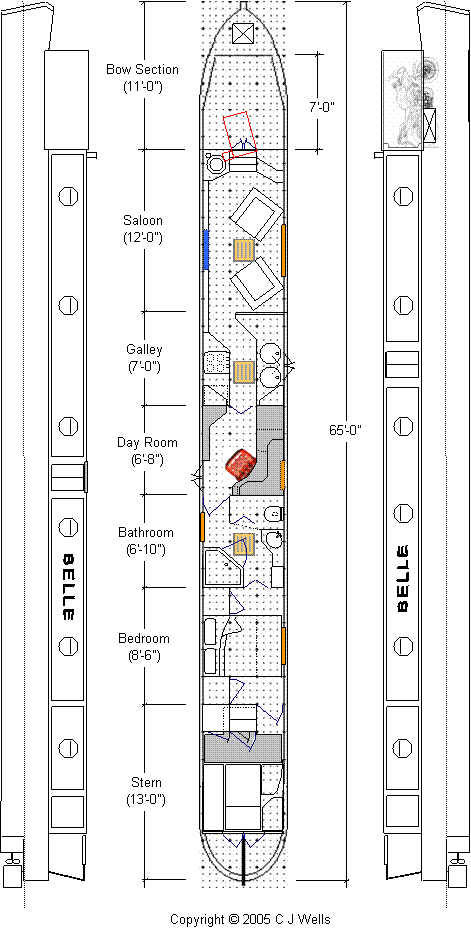
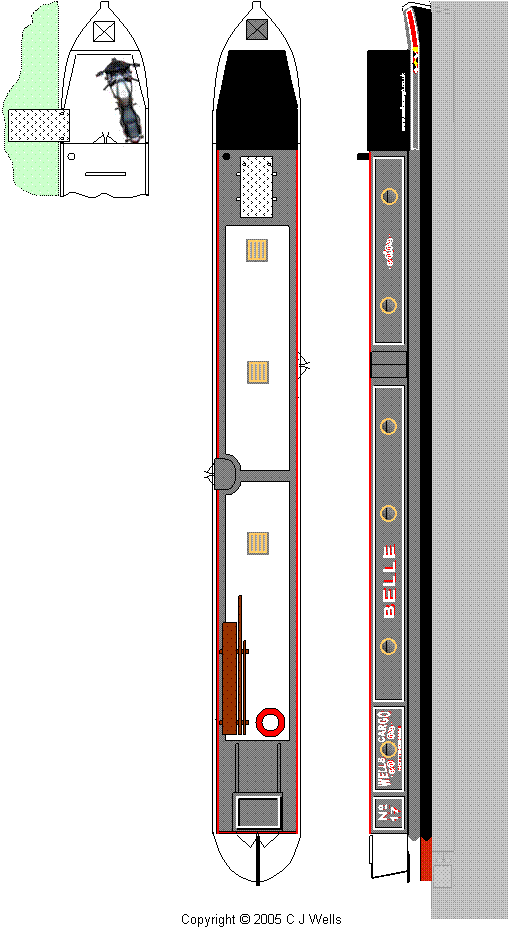
Layout and Livery for BELLE We created our layout and livery drawing
using the drawing tools in Microsoft Excel 2003 and Microsoft Word 2003. These applications are very powerful
and will allow you to readily create freeform and regular shapes, adjust
formats, relocate, erase and replicate etc., indeed all the tools you need to
quickly and effectively produce a high standard of layout drawing and artwork
for your graphics. BELLE is laid out to scale on a 6”
square grid pattern – you can of course enlarge the views and adjust
the scale when you need to go into more detail for any of the areas. You will find an Excel file here. If you
want to unlock this file so that you can use it as the basis for your own
drawing, then email us and we will let you have the password. |
|||
|
|
|||
|
There are many colours and textures,
etc. to be found in the Microsoft Word and Excel palettes that you can use to
create your base, add coach-lines and to complement your graphics, but you
must bear in mind that not all of these colours will be available in
‘boat friendly’ paint finishes from the recognised high-quality
marine paint manufacturers, so you will need to experiment a bit. Obtaining paint swatches is advisable
when selecting your final colour scheme, because no matter how hard you try,
you cannot accurately replicate the subtleties of tone, etc. on the computer
monitor and when printing. We
have found that, all other things being equal, just using a different make of
glossy print paper will bring about noticeable differences in tone. Having approached Yamaha for a scale
drawing of my bike and been told that one was not available, ever the
resourceful, I positioned my bike at the front of the house and hung out of
the bedroom window with camera in one hand and curtain pole in the other and
took some photographs. A bit of
work with Adobe Photoshop in conjunction with a few measurements of the bike
itself resulted in an accurately scaled image that was duly pasted into the
plan view of our layout drawing.
The side elevation of the bike came from a Yamaha owners website. |
|||
|
|
|||
|
We found the ‘WordArt’ tool
very useful for creating the character sets for the boat name and trading
name. You can use this tool to
create a variety of different shapes, altering the colours used for both the
fill and the outline and you can add shadows as required. A few Internet searches will reveal
all manner of flourishes and scrolls and most other shapes used in narrowboat
artwork and you can easily copy those that are not subject to copyright and
paste them into your own drawing.
We are trying to create a sense of depth to the main panels as well as
the character sets using shadows – definitely cheaper than using
recessed panels. |
|||
|
|
|||
|
You will find older versions of our
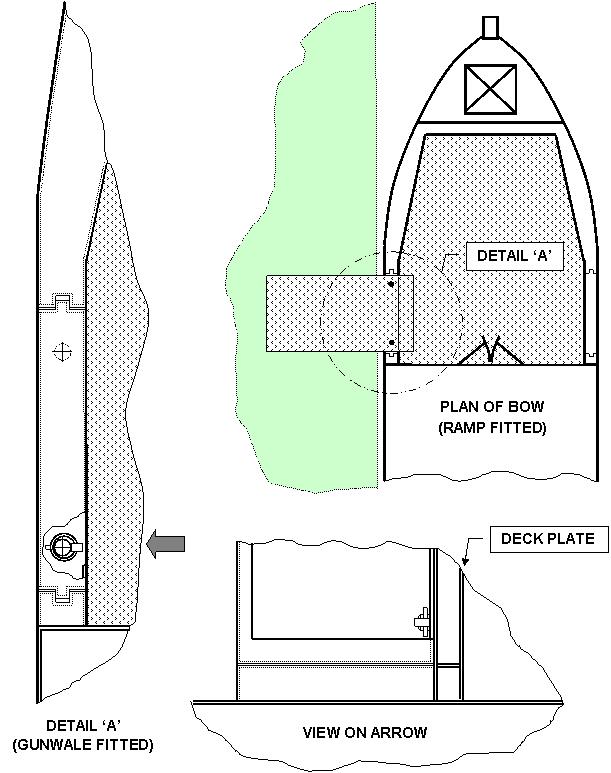
layout drawing dating back to February 2005 here. Concept for Removable Gunwales at the
Bow |
|||
|
|
|||
|
Concept requirements:
This concept is focussed on
accommodating one or two motorcycles at the bow, but it could be readily
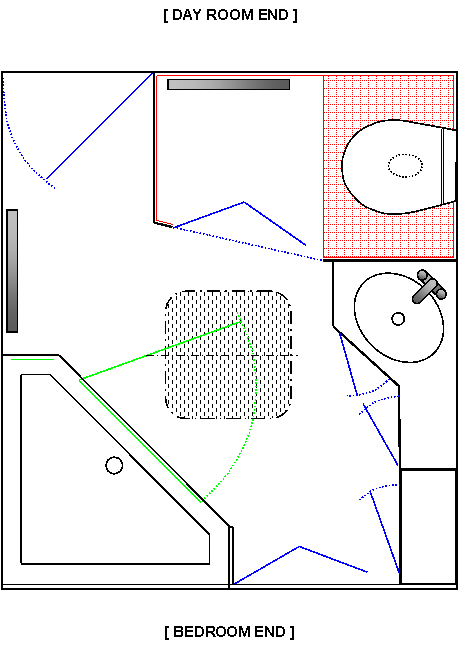
adapted so as to suit wheelchair access, etc. Concept for Bathroom |
|||
|
|
|||
|
Concept requirements:
Copyright © 2005 - 2006 C J Wells |